01
Set up your account
Sign up with an email address and a password. Choose your units and time zone, and pick what you want to track. You can change all of it later.
Train smart ride stronger
Trackly keeps your workouts, meals, hydration, measurements and goals in one place, with charts built from the figures you enter and nothing else.
Four steps from a new account to a training record you can actually compare week to week.
Sign up with an email address and a password. Choose your units and time zone, and pick what you want to track. You can change all of it later.
Record workouts, meals, drinks and measurements as you go. Every entry is dated and saved to your account, so the record does not depend on memory.
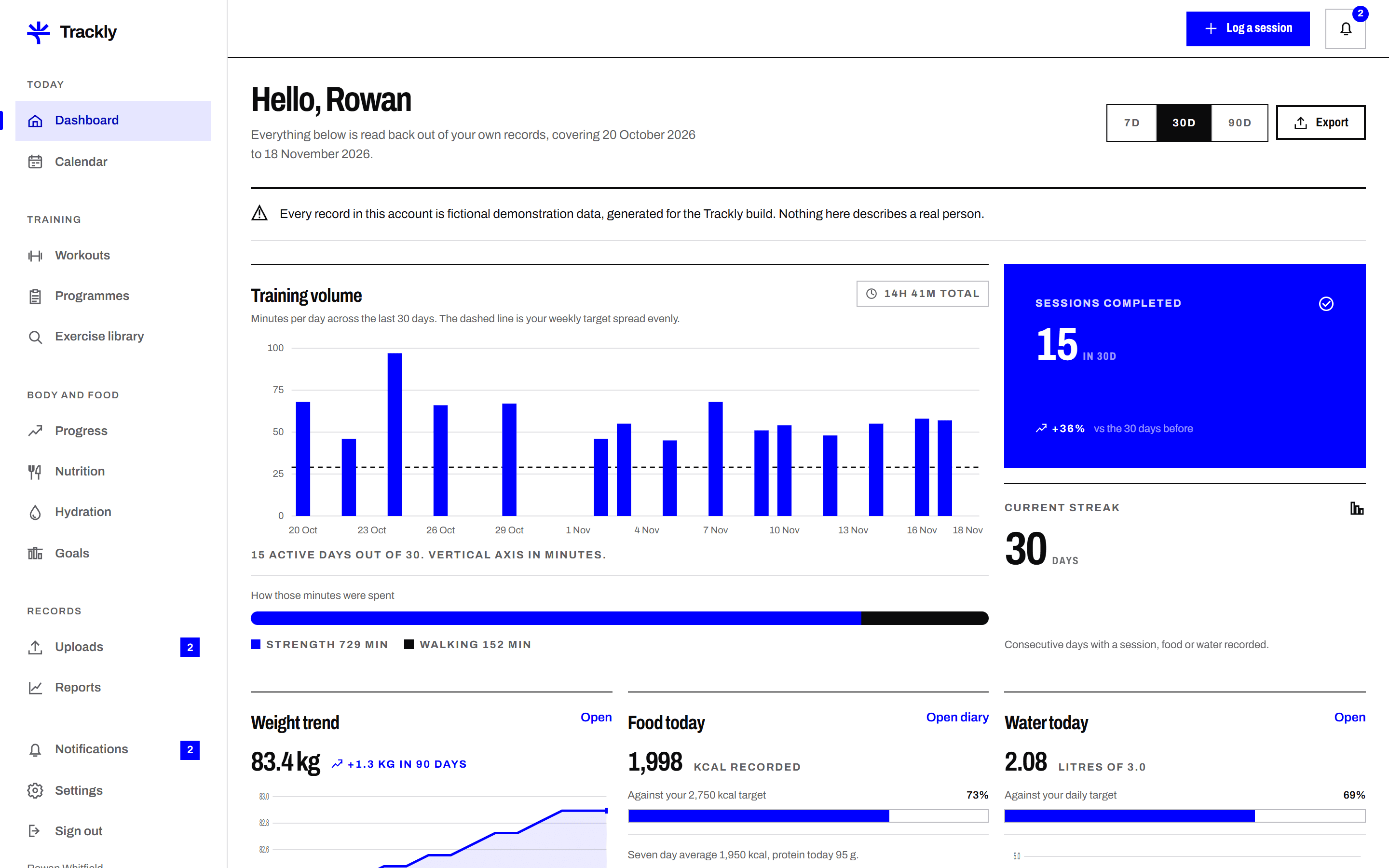
Trackly works out weekly totals, personal bests and your weight trend from the entries you saved. Each chart states its units and its date range.
Upload a CSV, a JSON export or a progress photo. A reviewer on the Trackly team checks it and marks it approved, rejected or needing changes.
Six areas of the application, each built around entries you make yourself.
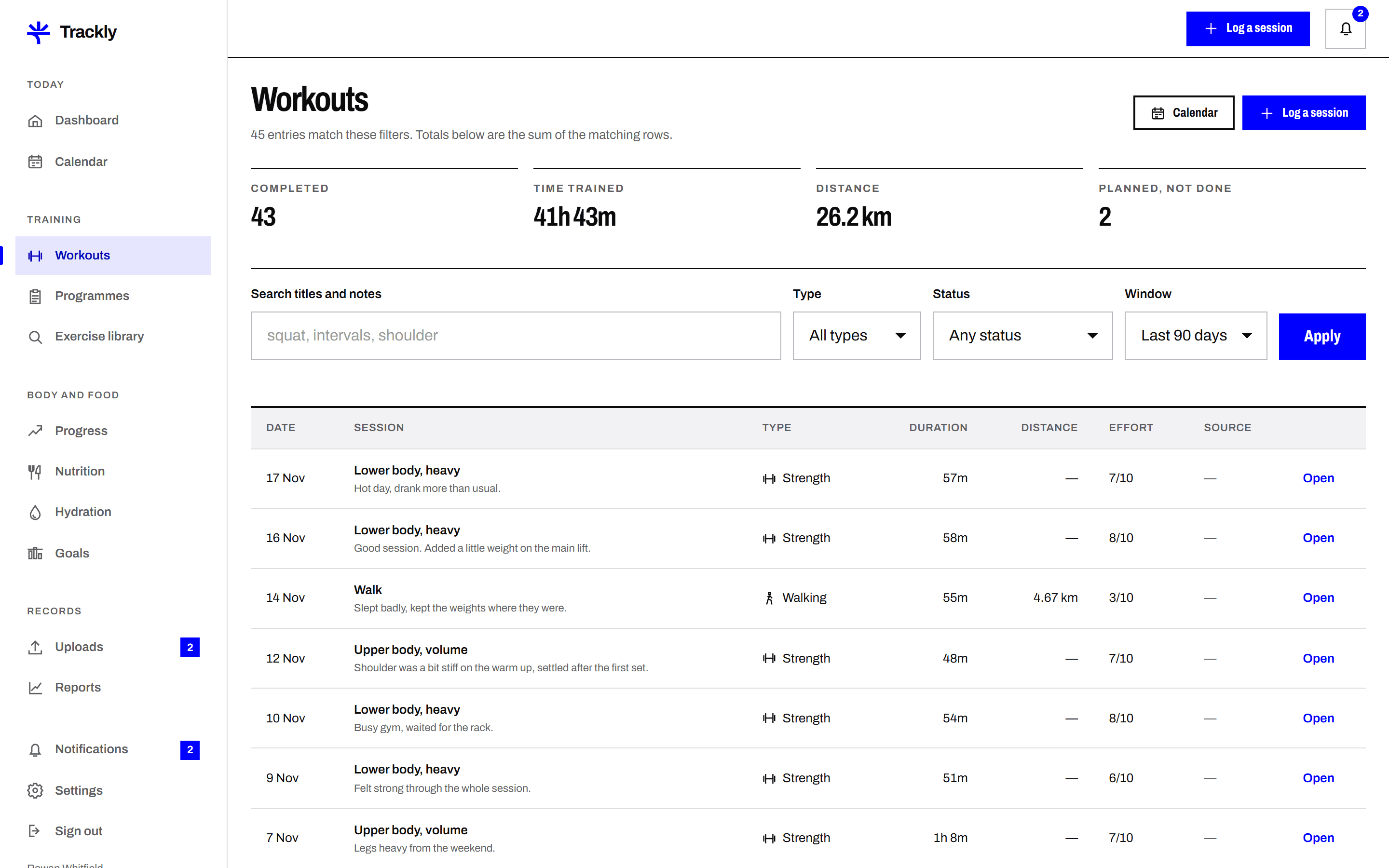
Workout log
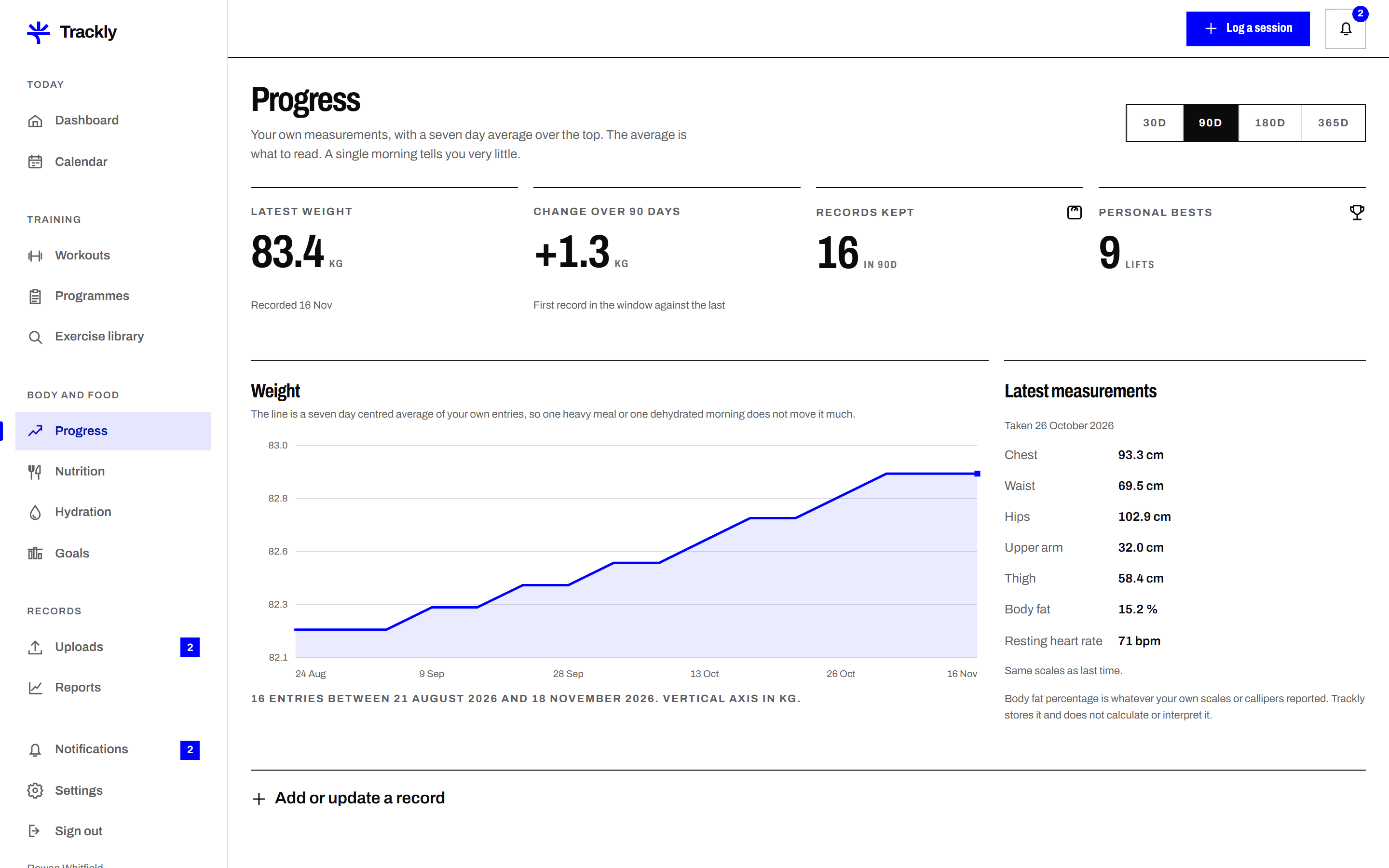
Enter weight and body measurements in your own units. Trackly plots them over 7, 30 and 90 days and draws a trend line beside the daily figures.
Read moreAdd meals with servings, calories and macros that you enter yourself. Trackly totals each day and each week and saves foods you reuse.
Read moreLog drinks in millilitres or fluid ounces against a daily target you set. Trackly shows today, the last seven days and how often you logged.
Read moreSet a goal with a figure and a date, such as a target weight or four sessions a week. Trackly measures progress from your own records.
Read moreSubmit a CSV, a JSON file or a progress photo. You can see its status at every stage, read the reviewer comment and send a corrected file.
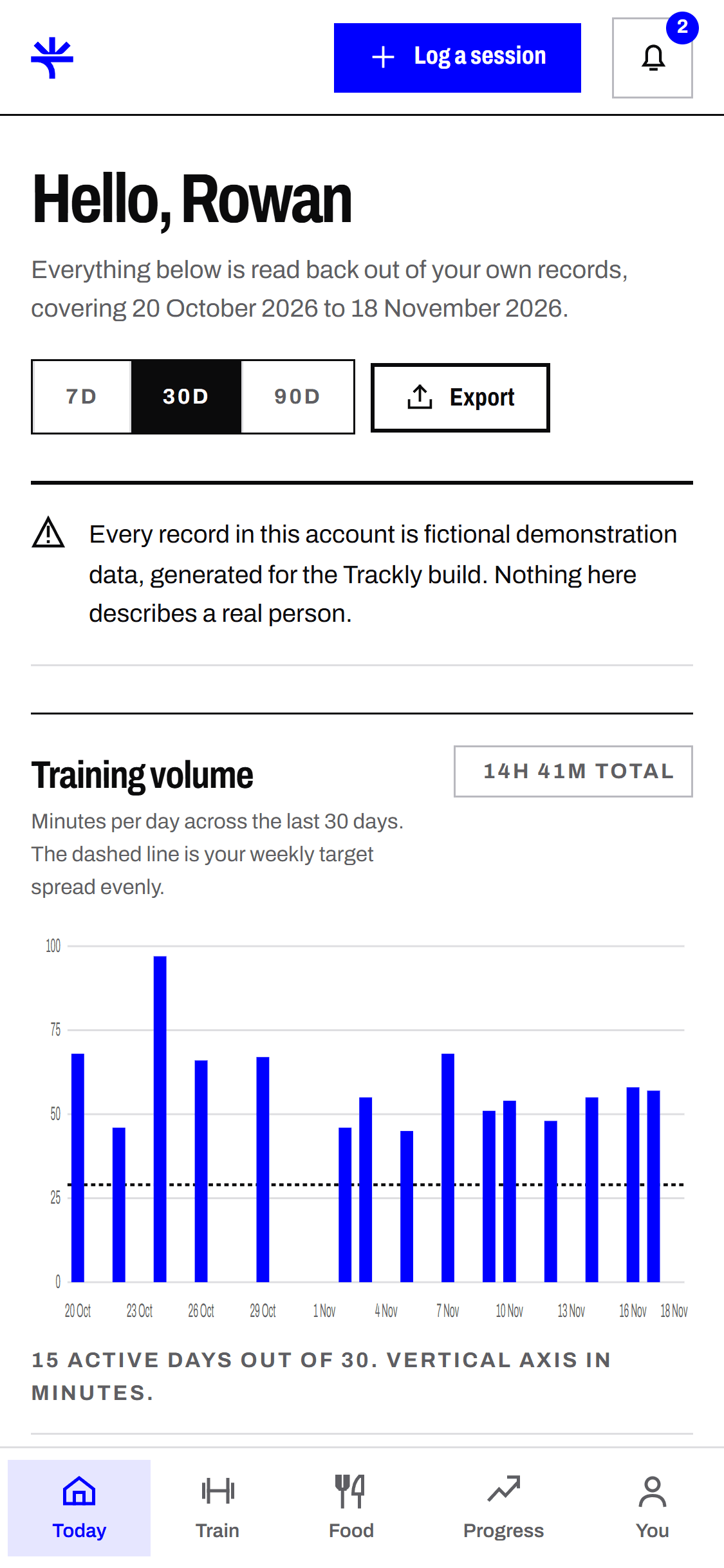
Read moreThe same records, the same figures. The phone layout is not a cut down version, it is the same application at a narrower width.
Trackly is a record keeping tool. It fits people who want their own numbers written down properly.
You follow your own plan and want the figures in one place. Trackly keeps the log tidy, so this month can be compared with last month.
Your coach sets the programme. Trackly holds the record of what you actually did, with notes and files you can share when you are asked for them.
You have had a long break and want a plain record of turning up. Trackly counts sessions and rest days without scoring you on them.
Trackly is a working product built as a demonstration by TheDesignAffair. Every member profile, workout, meal, measurement and uploaded file inside it was written for this build. The names, dates and figures are fictional and belong to no real person. Nothing shown on this site is a real customer record or a real result.
A seven day plan for setting Trackly up properly, with the three things worth doing on day one and the things that can wait.
9 November 2026 · 7 minute read
Getting startedMost goals fail because they were never measurable. How to turn a vague intention into a figure and a date your own records can answer.
26 October 2026 · 7 minute read
Using TracklyWhat a reviewer looks at, what they never look at, what each decision means and how long the process usually takes.
12 October 2026 · 6 minute read
Four short answers. The full list covers twelve more.
No. Trackly has no device integrations. You type your figures in, or you upload a file exported from another app and submit it for review.
No. Trackly records what you enter and adds it up. It does not write plans, set calorie targets or give medical advice. Speak to a qualified professional for that.
Yes. Settings has an export that returns your workouts, nutrition, hydration, measurements and goals as CSV files, and a separate option to delete your account.
Approval applies only to files you submit, not to your everyday logging. A reviewer checks that the file is readable and that the columns match what Trackly expects.
Create an account, log a few sessions and see what the charts look like with your own figures in them. You can export everything or delete your account whenever you want.
Create an accountTrackly records the figures you enter and is not medical advice. It does not diagnose, treat or assess any condition, and it sets no targets for you. Speak to a qualified professional about your training, your diet or any health concern. Member records shown in this build are fictional demonstration data.